I had tried several times to burn the image to a double layer dvd-rw, but unfortunately, i did not succeed. It really pissed me off. so, I did it my way.
If you’ve got an external disk, with more than 7 gigs of capacity, then you shall try it YOUR WAY, as i did.
I used my iPod Nano (3rd gen) as an external disk.
Here is the progress:
First of all, you’ve got to have the INSTALL DISK IMAGE. It took 2 days and a half for me to get it via my 1 Mbit internet connection, don’t ask me how, i just found the developer’s edition, just to take a sneak’n peak.
Then, you’ve got to have a MAC operating with OS X to burn the image. To do so, press Apple+U to see the utilities folder while in finder. You’ll find Disk Utility. kick it!
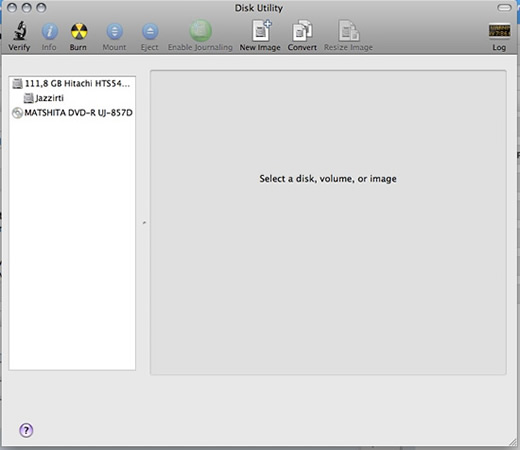
Then plug your iPod(or external disk) in, (iPod’s disk usage must be enabled you shall do it via iTunes) and click your disk’s icon.
Click “restore” tab

select your image file and open it :)

Then select the “restoration bla bla” (simply drag&drop your external disk to that field)
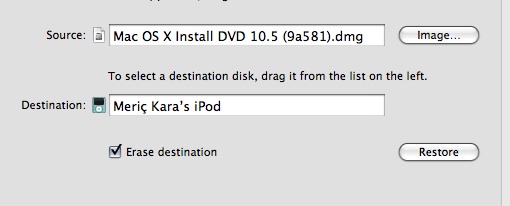
Restore it (this will last a little while)
After the restoration process finished, go to system preferences and chose startup disk option select “Mac OS X INSTALL DISK” then, reboot.
Rest is up to you :) good luck! (Pirating is bad)